You don’t need a $500/month SaaS subscription to automate your business.
You’re being sold a lie.
And that lie is that “real” AI requires enterprise platforms, dedicated IT teams, and budgets that scare any smart small business away.
But here’s the truth…
…most small businesses don’t want to waste money on bloated software they barely use even though they think that’s what automation costs.
It doesn’t.
You can build a functional AI stack for under $50/month.
❌Not a demo.
❌Not a trial.
✔️A full working system that handles leads, answers calls, creates content, and eliminates hours of repetitive garbage from your week.
This post breaks down exactly how.
The Real Cost of Running Your Business Your Current Way (Manually)
Track your time for one week. Write down every repetitive task: scheduling appointments, answering the same questions, copying data between systems, chasing leads, drafting social posts.
Add it up. Calculate what those hours actually cost.
If you’re spending 10 hours a week on admin work, that’s 520 hours a year. If your time is worth $50/hour, you’re burning $26,000 annually on tasks a $50 automation stack could handle.
That’s not an exaggeration. That’s math.
The expensive part isn’t the tools. It’s pretending your time is free.
The Problem: You’re Bleeding Time on Garbage Work
Here’s what kills small businesses:
Repetitive admin. Moving data. Filing things. Updating spreadsheets. Copy-pasting between tools.
- Customer inquiries. Emails at 9pm. Missed calls during meetings. The same five questions asked 50 times.
- Slow content creation. Writing one blog post, then turning it into LinkedIn posts, emails, and Instagram captions like some kind of digital assembly line.
- Dropped leads. You were busy. They moved on. You lost money.
The myth:
Fixing this requires expensive enterprise software, onboarding calls, training sessions, and dashboards you’ll never open.
Wrong! So wrong…
You only need three things automated well.
The Mindset Shift: Modular Tools Beat Giant Platforms
Stop thinking “all-in-one system.” Start thinking “cheap tools that connect.”
You don’t need HubSpot. You need a form that feeds a database that triggers an email. That’s three tools, not one $600/month subscription.
The best automation stacks are built from small, focused tools that do one thing perfectly and pass data to the next tool in line.
This is how you stay under $50/month and still do what businesses pay thousands for.
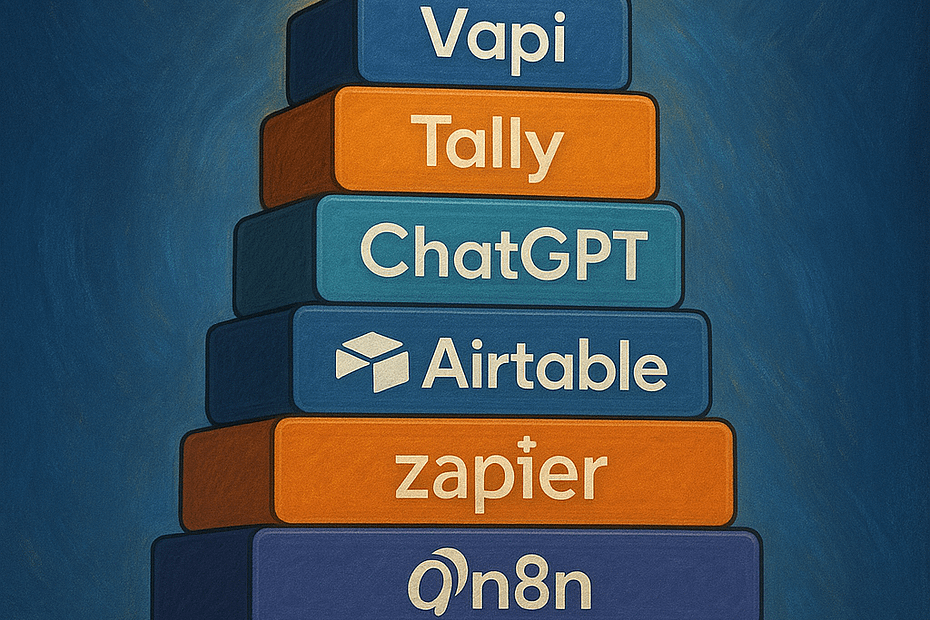
The $50/Month AI Stack in 5 Steps
Please, don’t be afraid or worry you can’t make any of the following. ChatGPT or Claude will help you do everything in plain language that anyone can understand.
1. An Automation Engine
This is your connective tissue. It moves data between tools, triggers emails, updates databases, and handles repetitive workflows without you touching anything.
Zapier, Make.com, or n8n?
Zapier is the easiest for novices to use. It easily connects tools and automates workflows.
Make.com does the same thing but gives you more control. There is a free tier that is enough to start.
n8n is the best in my opinion and the choice of professionals. It starts at 20€ a month but the hosting company you have your website at can self-host for less than $5 USD/month.
**There is a learning curve to Make and n8n but worthwhile in the end.
Just pick one. Any of them work for you.
Think of it as your backend operator that never sleeps.
Cost?
Zapier starts at $20/month. Make.com has a free tier. n8n is $0 (self-hosted) to $20/month (cloud).
2. Client & Lead Manager
If you currently use a CRM like GHL (High Level), Monday.com, or HubSpot, you can connect any of them using your automation choice from above. They all use either an API or webhook. APIs and webhooks sound technical but your automation tool handles them.
If you don’t currently have a CRM, then read on…
Airtable
It’s a spreadsheet that doesn’t suck and has two added advantages. It’s free and has AI built in.
You build it the way your business works and not a cookie-cutter option. It works as your central database. Tracks leads, clients, tasks, and project status.
Powers your automations by feeding data to your automation engine of choice.
Cost?
Free tier works fine for most small businesses.
3. Front-Line AI Agents That Never Complain and Never Take Breaks
Chatbot (Every Website Should Have One)
Chatbots answer questions your visitors have about your business and services. They are engaging and capture leads while you and your staff are busy doing quality business stuff.
They reduce your time answering the same questions over and over, and reduce emails 30-50%.
Cost?
Platforms can range from $20-$30o+/month depending on volume, but check if your CRM includes one.
Voice Agent
Voice agents answer missed calls 24/7. When you are busy and the phone rings, if you don’t answer it, the caller calls your competitor. They can answer questions, book appointments, handle refunds, and collect customer info to pass to your CRM. All automatically.
Cost?
You will need a dedicated phone number $2 + cost of milliseconds used + a voice agent platform like Retell or Vapi. Both have pay-as-you-go plans and start around $0.11/minute.
4. Content Multiplier
You only need one of these. Pick based on how you work.
NotebookLM Best for turning existing content into new formats. Upload a video transcript, blog post, or meeting recording and it generates summaries, social posts, FAQs, and emails. It transforms content you already have.
Custom GPTs: (ChatGPT Plus required). Best for repetitive workflows. Build a specialized assistant for blog drafts, email sequences, or turning meeting notes into action items. Teach it your process once, reuse it forever. Most flexible option.
Notion AI: Best if you already work in Notion. Draft posts, rewrite copy, and generate summaries without leaving your workspace. Convenient but less powerful than Custom GPTs.
Which one to pick?
Doesn’t matter. One hour of input becomes a week’s worth of content.
Cost?
Notion and NotebookLM are free. ChatGPT Plus is $20/month.
5. Lead Capture
You only need one of these. They all can connect to the Automation Engine you chose from step 1.
Tally
Clean, simple forms with no branding. Embeds on any website or send a link in emails and texts. Tally works with conditional logic (branching). This means you can show different questions based on answers.
Google Forms
Everyone knows how to use it. Feeds into Google Sheets or your automation engine. Perfect if you’re already running your business on Google Workspace.
Your Website’s Built-In Forms – All website back-ends have form builders. If you’re already paying for the site, these work fine.
Typeform
Beautiful interface, best user experience. People actually enjoy filling these out. Free tier allows 10 responses/month.
Jotform
More powerful than Google Forms with payment processing, file uploads, and advanced logic. Free tier allows 100 submissions/month.
Cost?
Tally, Google Forms, Jotform, and most website forms have free plans. Typeform starts at $25USD/month. All have paid tiers if you need more volume.
So, Where To Start?
Set up your CRM and connect it to your automation engine before building any of these workflows.
Pick Airtable (or connect your existing CRM like HubSpot or Monday.com). Build your database with fields for leads, clients, status, and contact info.
Once your CRM is live, you’re ready to automate.
Three Automations to Start Your Journey Into Scaling Your Business and Saving Your Time and Money
Pick one. Build it. Measure the time saved. Then add the next.
Automation 1: Instant Lead Capture + Auto-Follow-Up
The Flow:
A form or chatbot captures lead → automation engine receives data → sends auto-email sequence → updates Airtable with lead status
What It Fixes:
Instant gratification to your prospect or customer.
Time Saved:
3-5 hours/week
Automation 2: Missed Call Handler
The Flow:
Missed call → Voice agent answers → gathers name, reason for calling, preferred callback time → books appointment if possible → automation engine sends you a summary email
What It Fixes:
Lost customers because you couldn’t answer the phone.
Time Saved:
5-8 hours/week – but more importantly, what is the value of a customer lost to your competitor?
Automation 3: Weekly Social Content Generator
The Flow:
Record one video on YouTube → auto-transcribe (YouTube or your automation tool) → NotebookLM creates five short posts tailored to different platforms → automation engine schedules the posting
What It Fixes:
Spending six hours turning one idea into content for five platforms for a week.
Time Saved:
4-6 hours/week
The ROI Reality Check
Here’s the only equation that matters:
Monthly Cost ÷ Hours Saved = Cost Per Hour
Example:
Your automations cost $50/month
Saves 12 hours/week (roughly 50 hours/month)
$50 ÷ 50 = $1/hour
If your time is worth more than $1/hour, this works.
If you don’t want to lose customers, this works.
If you hate doing any of these tasks manually, it works.
What NOT to Do
Don’t buy expensive all-in-one platforms. They have many features you don’t need to pay for.
Don’t automate broken processes. If your intake process is chaotic, automation only makes the chaos faster. Fix that first.
Don’t use tools that lock your data in. If you can’t export, you don’t own it.
Don’t pay for “seats” you’re not using. Most SaaS pricing is designed to upsell you to a team. Resist or give your trusted employee your unique login for that platform.
Real Example
Local HVAC business automated missed calls and quote requests. Saved 8-12 hours/week. Total cost: $75/month including phone costs.
More importantly, they gained 6 new customers in their first month because they consistently answered every call.
ROI: Positive in week one.
Your First Week
Day 1-2: List every repetitive task you do. Pick the one that wastes the most time.
Day 3-4: Build the automation that bleeds your business the most.
Day 5-6: Set up a basic content workflow if relevant to your business.
Day 7: Track actual time saved. If it’s not working, adjust or kill it.
Final Thoughts
AI doesn’t need to be expensive to work.
Start small. Measure results. Add more only when the first one works.
It doesn’t need to be complicated but it needs to save you time on tasks you hate doing.
These and more tools already exist. The price is right. The only question is which task you automate first.
Pick one. Build it this week.
Ready to automate but not sure where to start? Book a free 15-minute discovery call. We’ll identify your biggest time drain and map out the simplest automation to fix it.